
Unlocked Labs - A learning platform for incarcerated students, built so the person using it stays in control.
Unlocked Labs makes open-source education software for people in prison. I worked on the resident-facing side of the platform — the homepage, the Learning Records a student can take to a parole board, the Knowledge Center, and the sync that ties it all back to the classes they are enrolled in. Most of the people using it have barely touched the internet before. That one fact shaped every call I made.
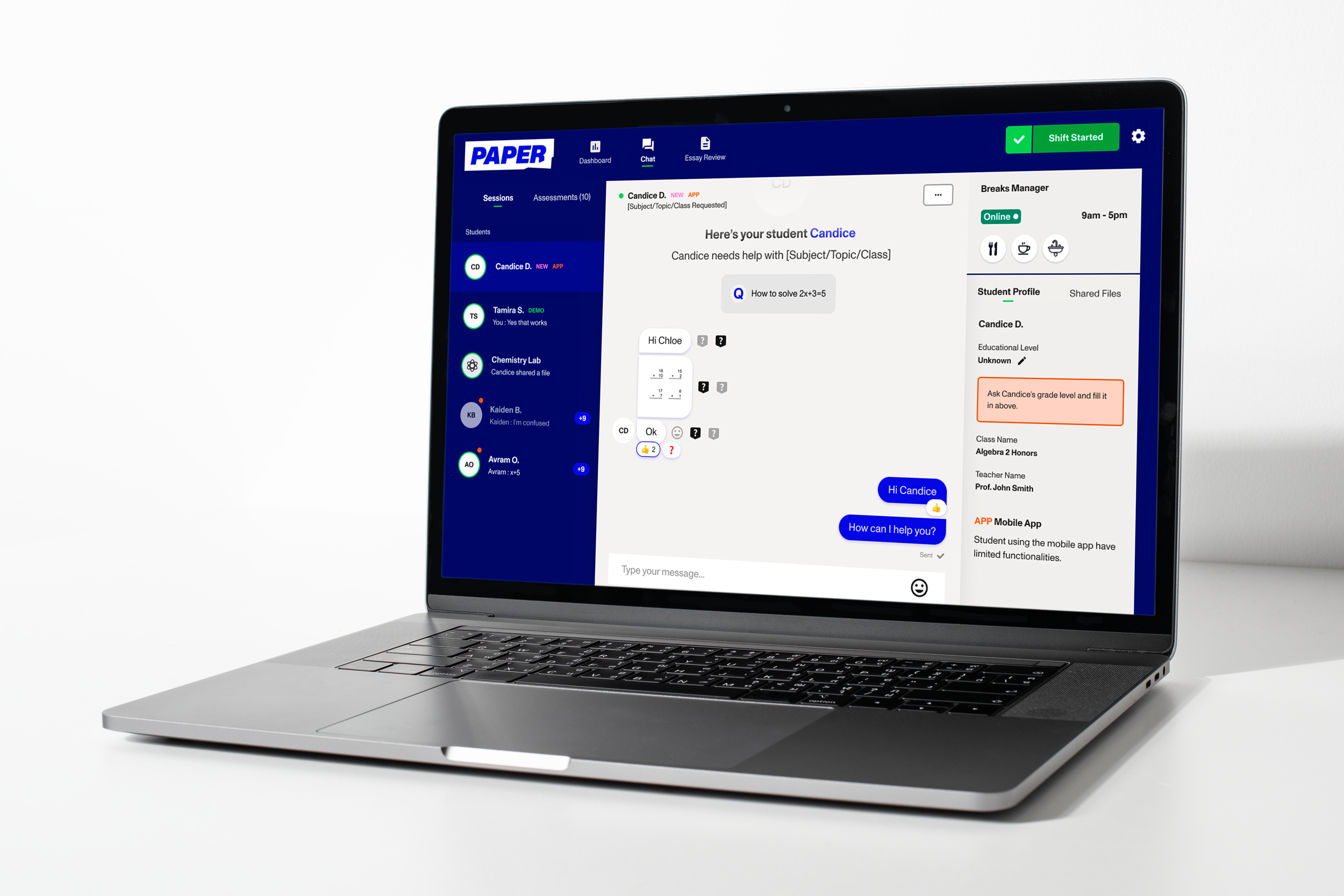
Project Overview
My role
Senior Product Designer
Prototyping
Light front-end
Who I worked with
Product, engineering & data, in the shared codebase
Worked with
2 months
The project
Unlocked Labs was started by formerly incarcerated engineers, and it builds the education technology they wished they’d had on the inside. The platform runs on computers inside facilities and gives people access to coursework, a library of learning material, and a record of everything they accomplish while they’re there.
I came in on the resident-facing experience — the part an actual student sits in front of. My job was to take features that were technically working and make them feel obvious, calm, and safe to use for someone who may have never had an email address. I owned the design of the homepage, the Learning Records tool, the Knowledge Center, and a Canvas Sync screen on the staff side that keeps enrollment data lined up behind the scenes.
None of this is abstract polish. A clearer Learning Record is something a person hands to a parole board. So the stakes of getting the small stuff right are higher here than almost anywhere else I’ve designed.
Who I was designing for
The person on the other side of the screen is new to almost all of it.
Here’s the thing I kept coming back to. A lot of our users are coming from a completely manual world — paper, binders, workarounds they built themselves over years. And when you’ve done something by hand for a long time, what you value most is control. You know exactly what’s happening because you’re the one doing it.
So you can’t just drop a slick, automated, do-it-all interface in front of them and expect them to trust it. Automation, done carelessly, takes away the one thing they’re not willing to give up. My whole approach was to lower the mental load without ever taking away their sense of control — keep the options there, keep the manual path open, and let the person decide how much help they want.
On top of that, many of them are brand new to the internet. So a stray bit of jargon, a red badge that looks like an error, a screen with too much on it — those aren’t minor. They’re the difference between someone feeling capable and someone feeling lost.
What I held onto
A handful of principles did most of the heavy lifting. They’re simple on paper. Living by them in every screen is the actual work.
Plain words, always
I pulled out the words that only make sense if you built the thing — “content,” “export,” “browse,” “device” — and swapped in what the person is actually trying to do. I dropped references to hardware entirely, because the machine in front of them changes from one facility to the next.
Lower the load, keep the control
The goal was never to do things for people. It was to make the easy path easy and leave the manual path right there next to it. Give them the option, and let them reach for more automation only when they’re ready for it.
Never let a screen feel like too much
On the homepage, one thing leads and everything else waits its turn. If a first-time user ever feels the page is shouting at them, I got the hierarchy wrong.
Colour carries meaning, so choose it carefully
A red badge reads as “you broke something” to a nervous user. So status colour isn’t decoration — it’s a message, and I treated it like one.
Confirm before anything can’t be undone
Deleting an achievement is not a casual click. Anything destructive gets a clear, plain-language confirmation first — no surprises, no quiet losses.
Let people apply what’s ready
I don’t like flows that hold your whole task hostage over one stubborn edge case. Wherever I could, I built an escape valve: handle the clear cases now, set the messy ones aside, keep moving.
The work
Wireframes
Feature Dive In
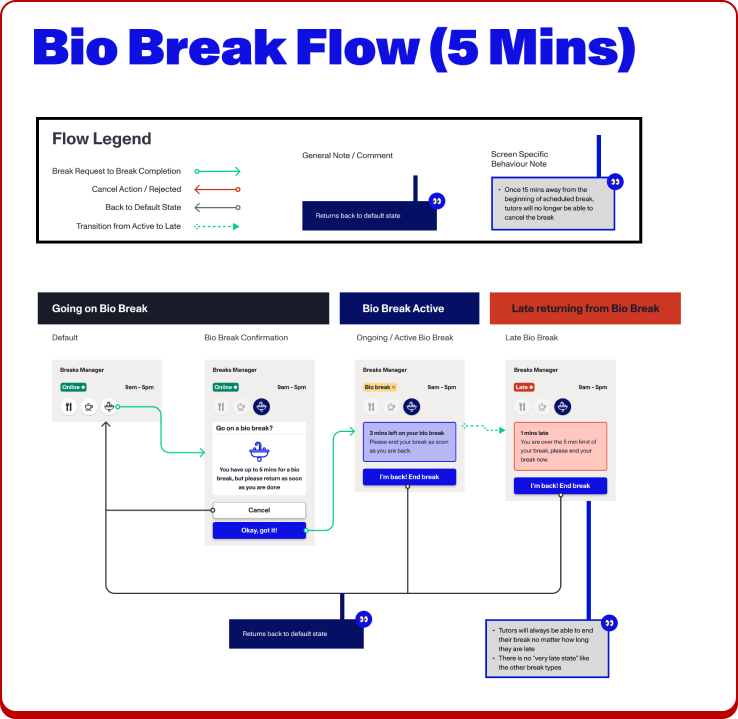
Bio Break: A 5-minute break for a quick trip to the restroom.
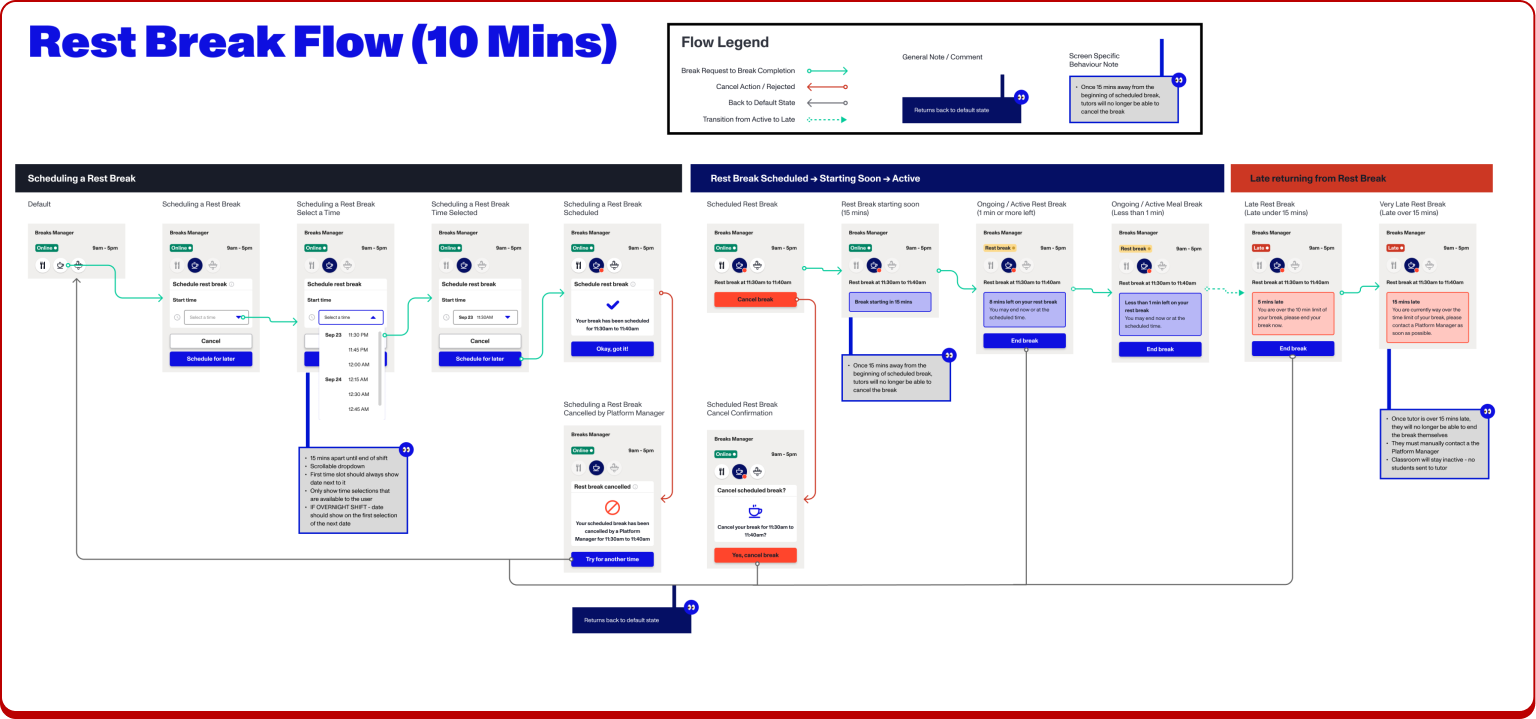
Rest Break: A 10-minute break to recharge.
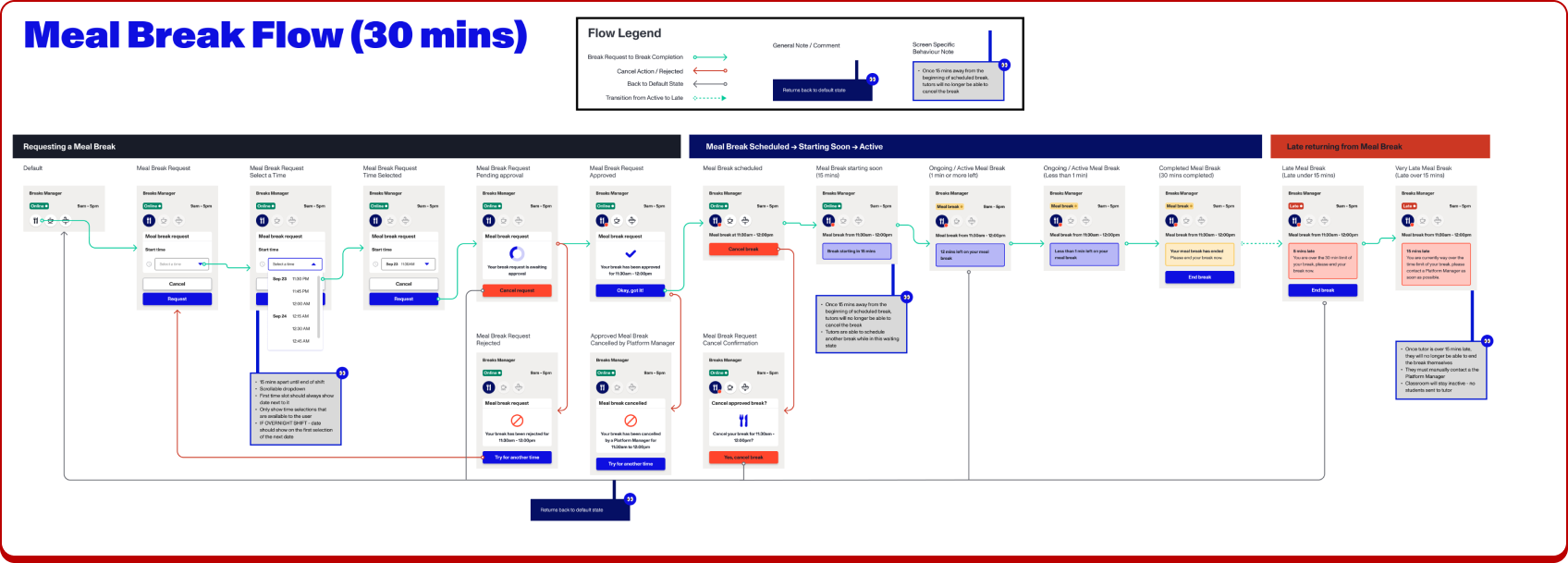
Meal Break: A 30-minute break for a meal.
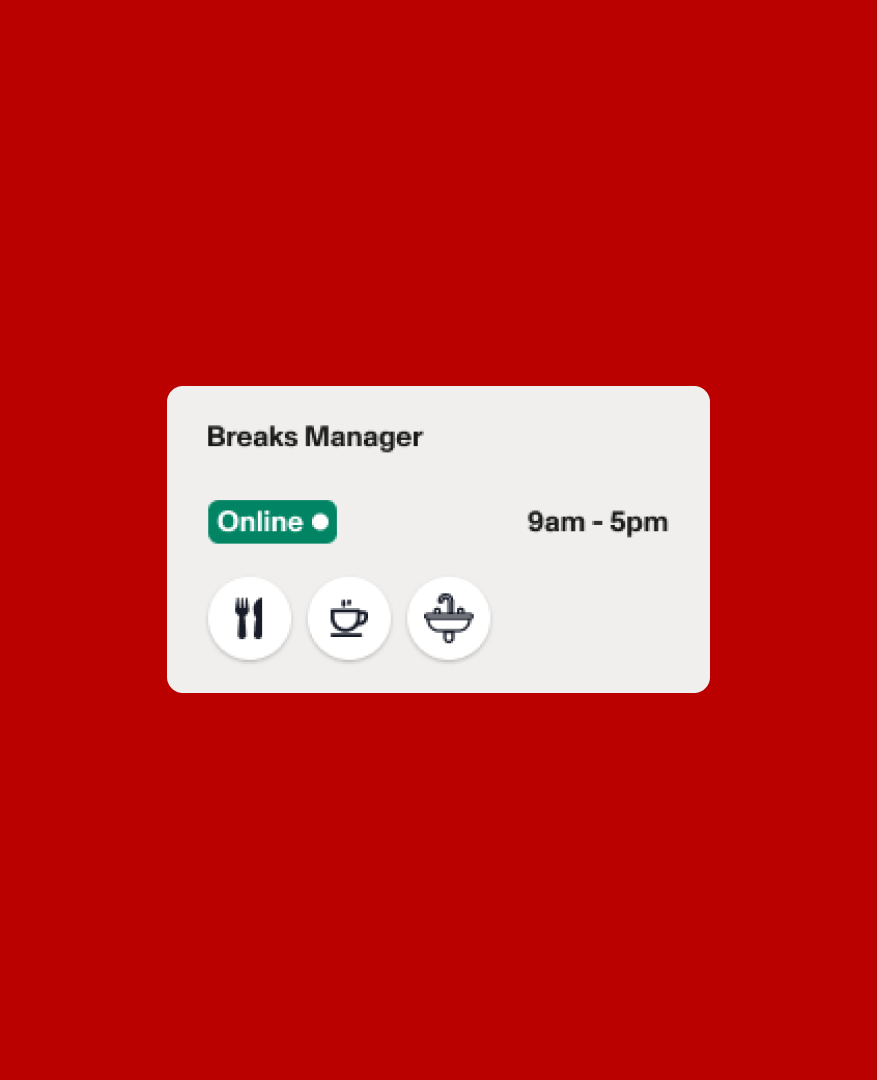
Final Designs
Impact & Lessons Learnt
This project really highlighted the number of manual tasks that tutors and their managers have to manage.
Over 1,000 breaks were taken in the first month alone.
If I could do one thing differently, it would be to interview more tutors to gather even deeper insights.
Fortunately, this feature has been a massive success, completely transforming the operations workflow.